Axon Phase — Sur-Ron Ultra Bee
Complete installation guide for fitting the Axon Phase controller to the Sur-Ron Ultra Bee. Please read all sections before beginning.
Allow yourself a good amount of time. Rushing causes pinched wires and incorrect fitment — both time-consuming to diagnose.
A good set of allen / hex keys is essential. We will not accept responsibility for products or bolts damaged by incorrect tooling.
You are installing an upgrade to an electric motorcycle. If you lack the experience, please seek a professional. Motorcycles can be dangerous when incorrectly installed.
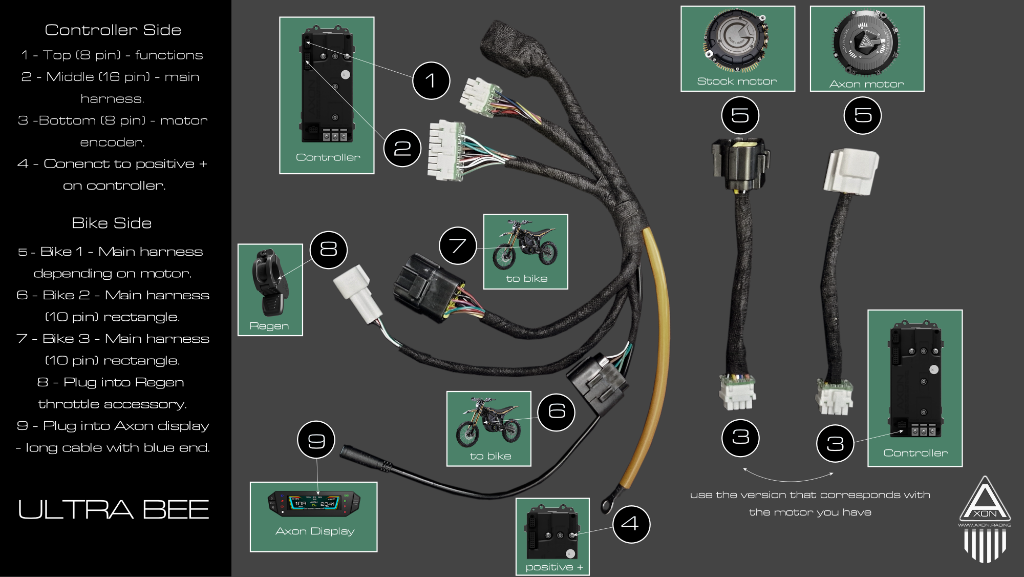
The image below outlines the numbering system used and where each connector is used on the Axon controller harness. When you receive your Axon controller, the harness will have numbers assigned to each connector as shown. Please review this before installing. If you have any questions contact us at info@axon.racing.
We have revised the harness for the Ultra Bee to include future support for dual hall throttles. Please see the notes below for the additional connectors provided.
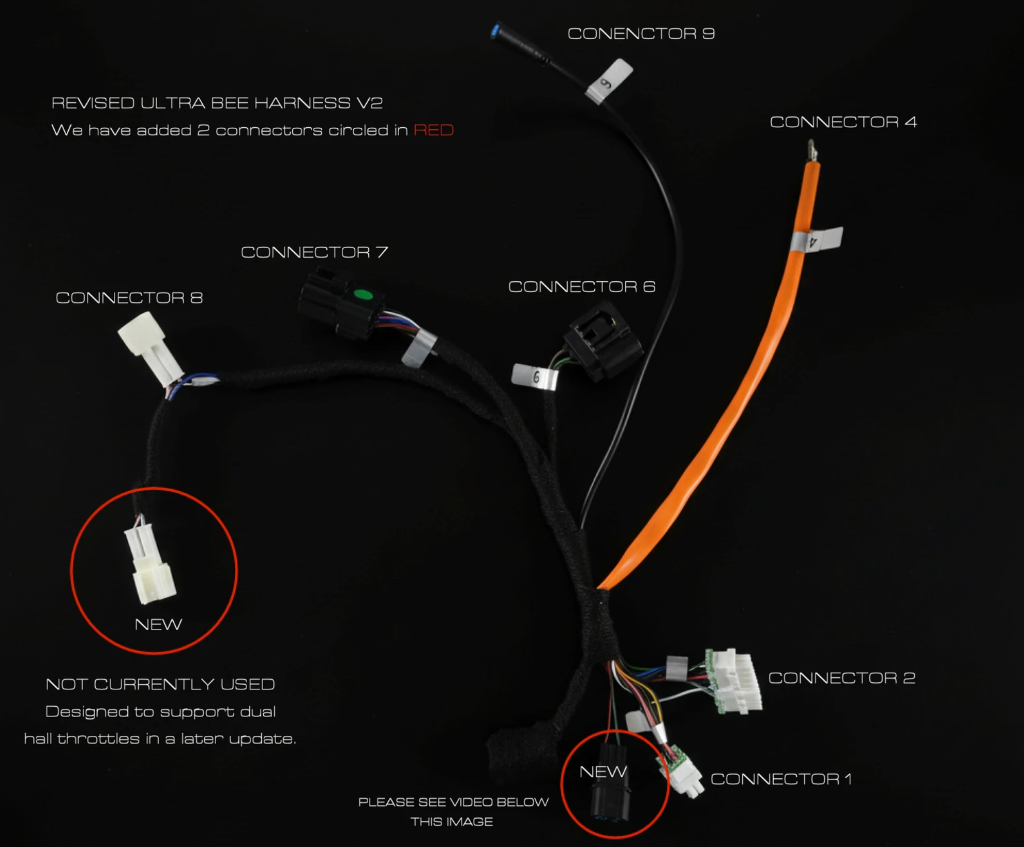
Located on the left of the harness image. Please tape this up. This connector is designed to support dual hall throttles and other accessories in the future. You do not need this connector now.
Located at the bottom of the harness image. Please see the video guide for how to fit this connector with your harness.
The Ultra Bee uses its existing handlebar switch cluster to control Axon ride modes. Below is a breakdown of each button's function.
- —Toggles drive and neutral — you can leave it on drive
- —Press up — D3 (highest power mode)
- —Press centre — D2
- —Press down — D1
- —Short press — Toggle hill hold (short term use, not a parking brake)
- —Long press 5 seconds — Toggle walk mode
- —Long press 8 seconds — Toggle gyro mode (not yet enabled)
For product queries or installation help contact us at info@axon.racing